Beta — registering interest now

Your homelab,
handed out safely.

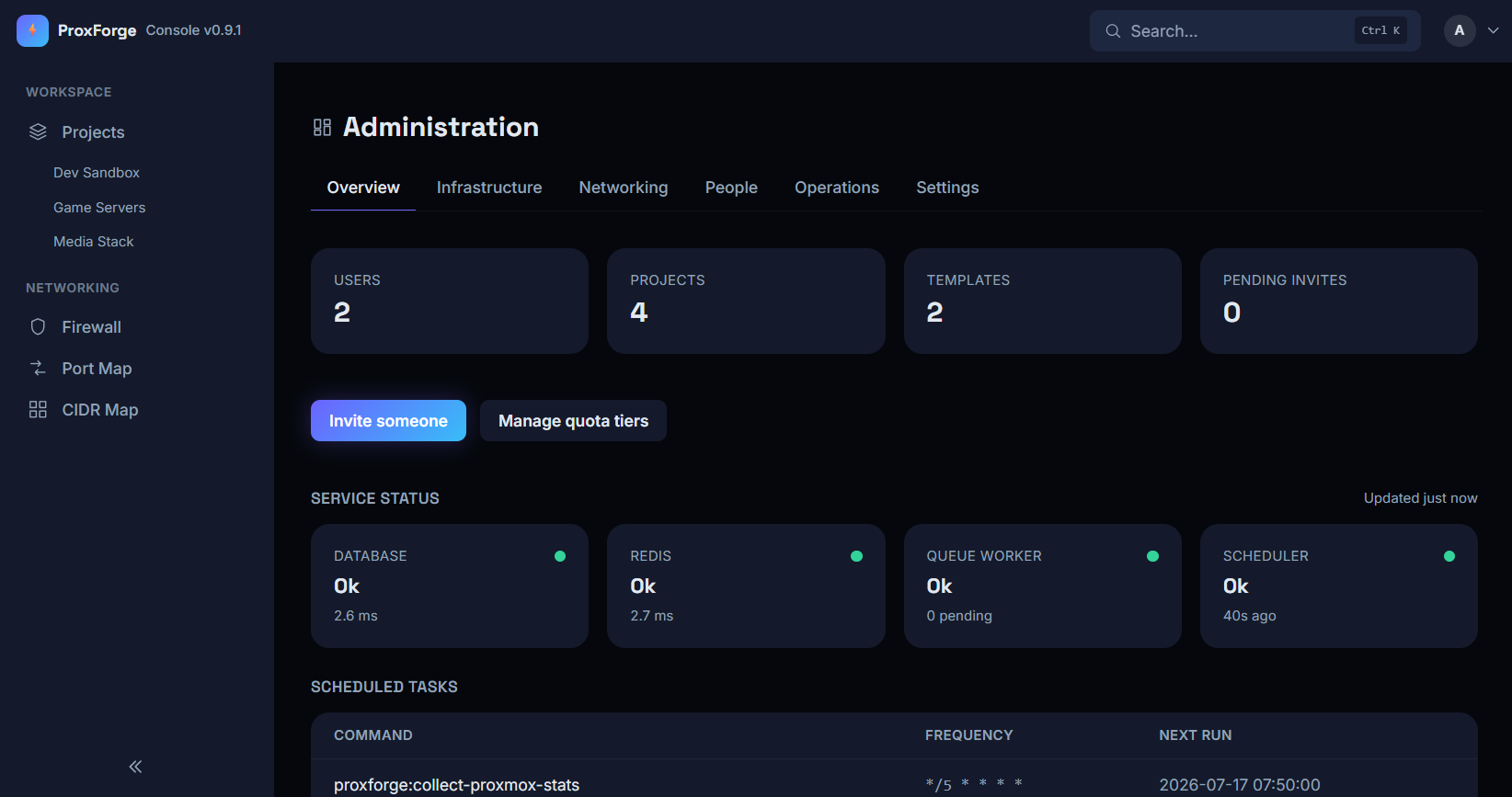
ProxForge is self-hosted, invite-only VM provisioning for a Proxmox cluster. People you invite request a VM from a template and get back something that actually works end to end — cloned from a cloud image, on its own private network, firewalled, reachable over SSH through your UniFi gateway, with a console in the browser.

Free for a single person running their own lab — 5 machines across 2 projects, with every feature on this page included.

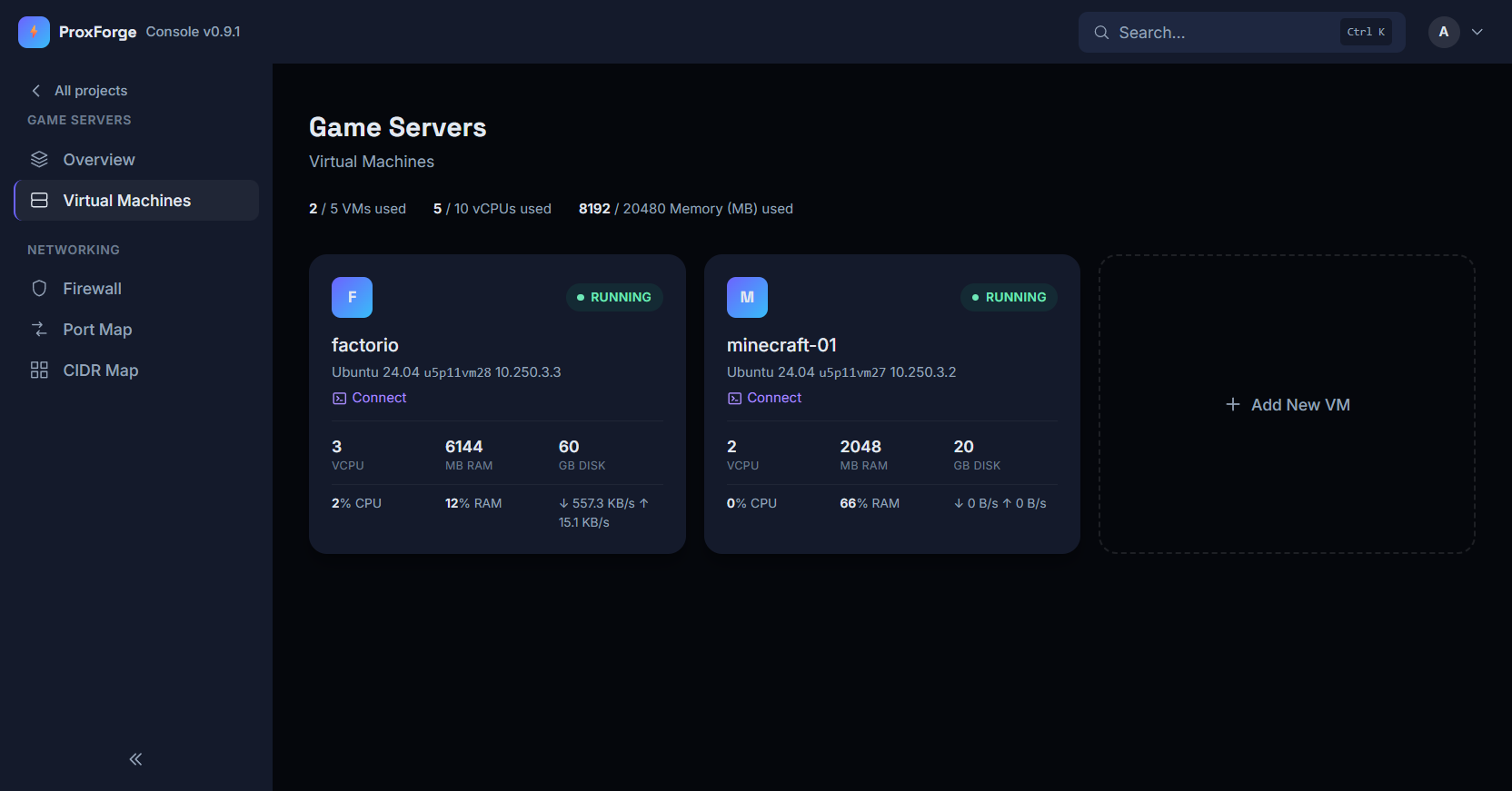
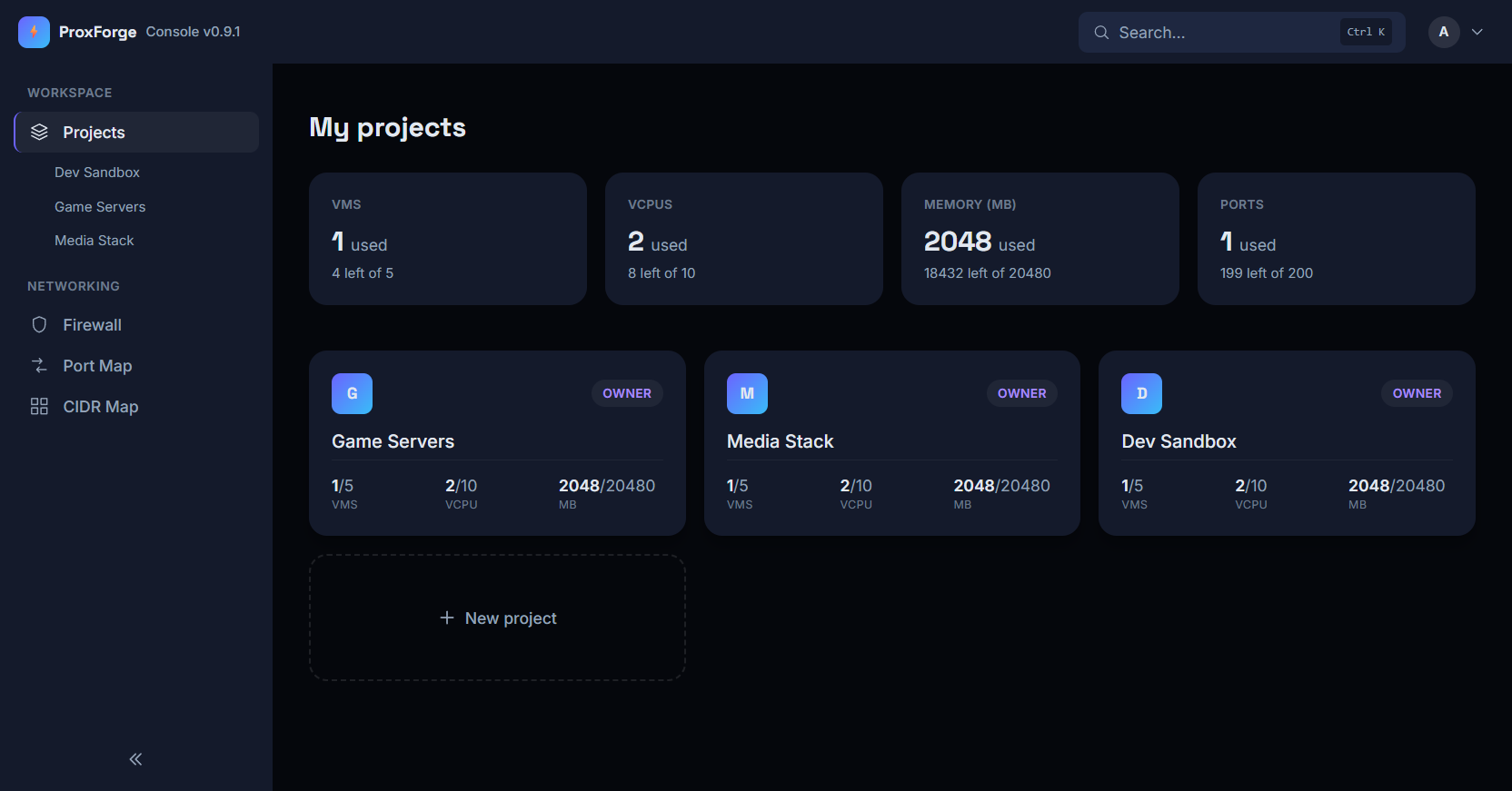
The ProxForge dashboard, showing three projects and the quota each is using

What it is

A Proxmox cluster is not a platform.
ProxForge is the part that makes it one.

Handing out a VM by hand

  • Clone a template and hope you picked an ID nobody else is using
  • Wire up a network — or don't, and put them on your own LAN
  • Write firewall rules by hand, for every machine, in the right order
  • Open a port on the gateway, then remember whose port that was
  • Hand out a Proxmox login, or become their tech support yourself
  • They leave. You try to remember what was theirs.

Handing out a VM with ProxForge

  • They pick from what you've allowed them and press request
  • A private network is already there before the VM boots
  • Your rules go on first; they can edit theirs, never yours
  • An SSH port opens on the gateway on its own, from their range
  • A console in their browser that never touches Proxmox
  • Disable them and their VMs stop. Delete them and it all goes.
It's built for a single homelab cluster behind a single UniFi gateway, and it's opinionated about that. If you're looking for a general-purpose multi-cloud portal, this isn't it.

How it works

One request. Seven things happen.

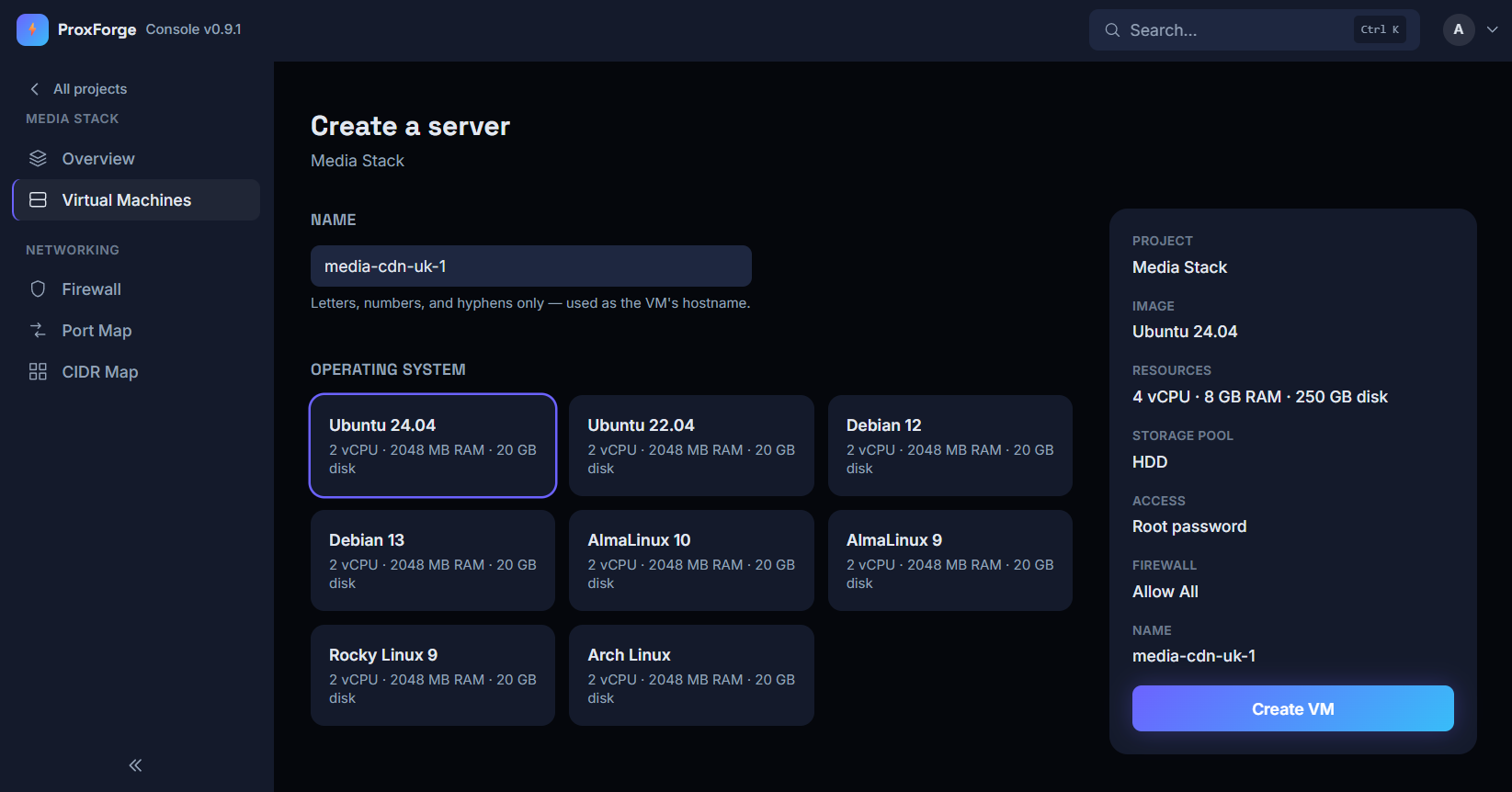
Someone asks for a server and, a few minutes later, they have one they can actually use — not a bare VM you still have to finish setting up by hand. Scroll to follow one request the whole way through.

01

Someone asks for a server

A friend, a family member, whoever you've invited — they pick from the templates you've allowed and choose a size. If the request fits inside the limits you set for that person, building starts straight away. If you'd rather look first, it waits for you. That's your choice, per template.

Nobody can ask for more than you've allowed

02

The server gets built

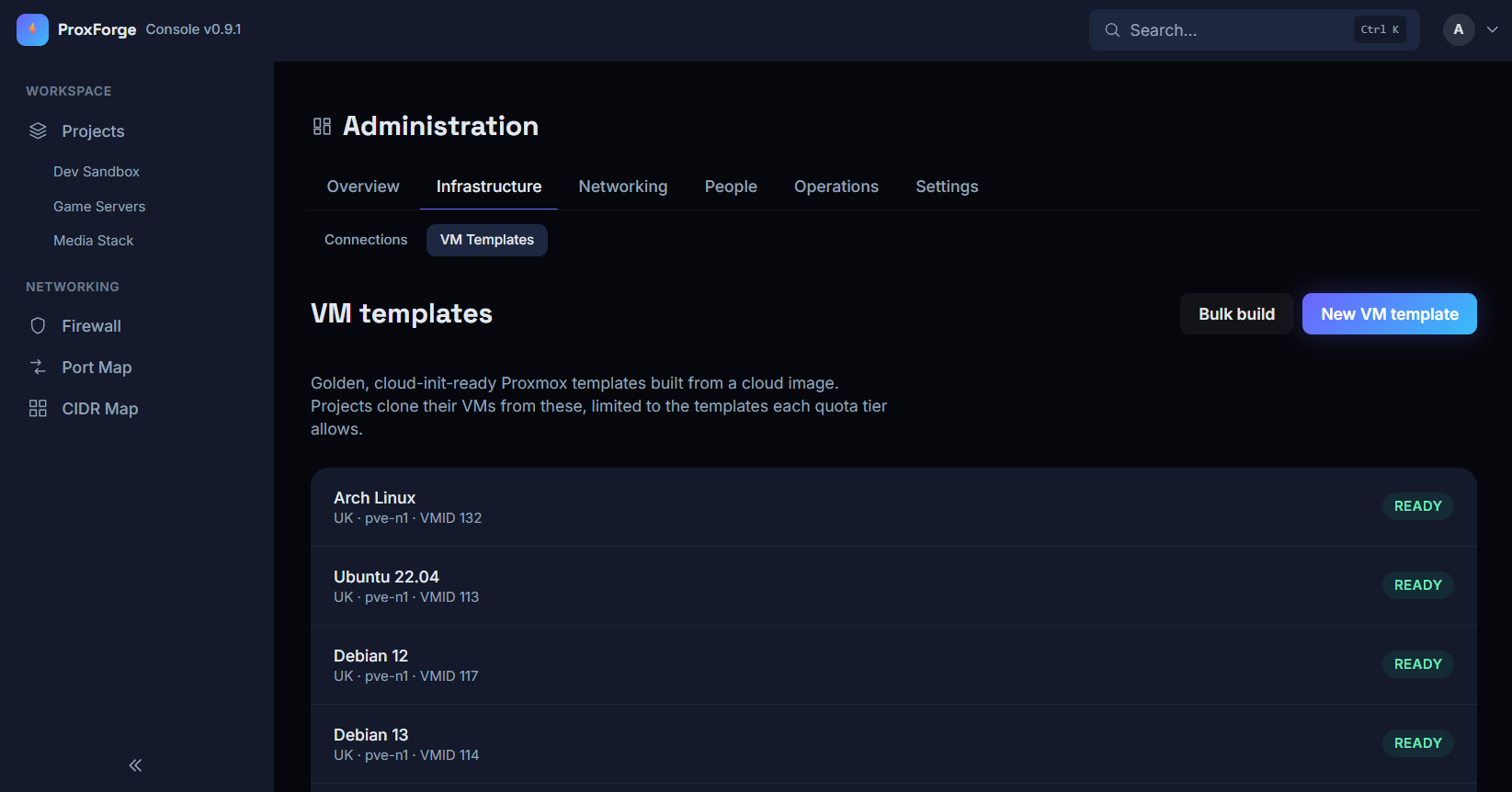
ProxForge makes its own templates from official cloud images — Ubuntu, Debian and the rest — so you're never hand-maintaining a golden image, and never wondering what went into one. The new server is cloned from a template, with the right SSH keys already inside it before it first boots.

You never hand-build a template

03

The server comes up on a private network

Every project gets a private network of its own, and the server is already on it by the time it boots. ProxForge builds all of that on your cluster itself — you don't have to have set any of it up first, and you don't have to think about it again.

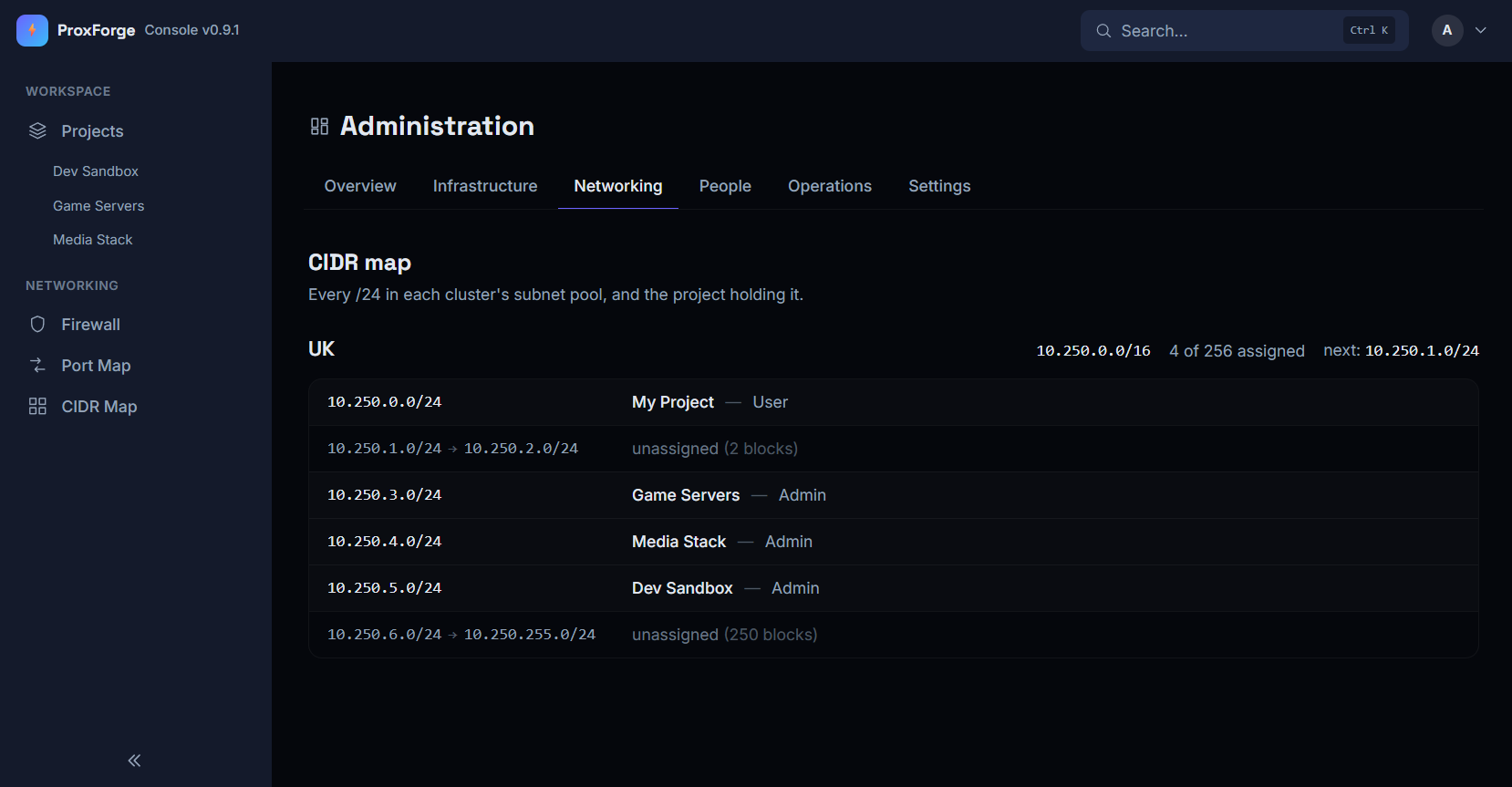
One project can't reach another

04

The server gets its own firewall

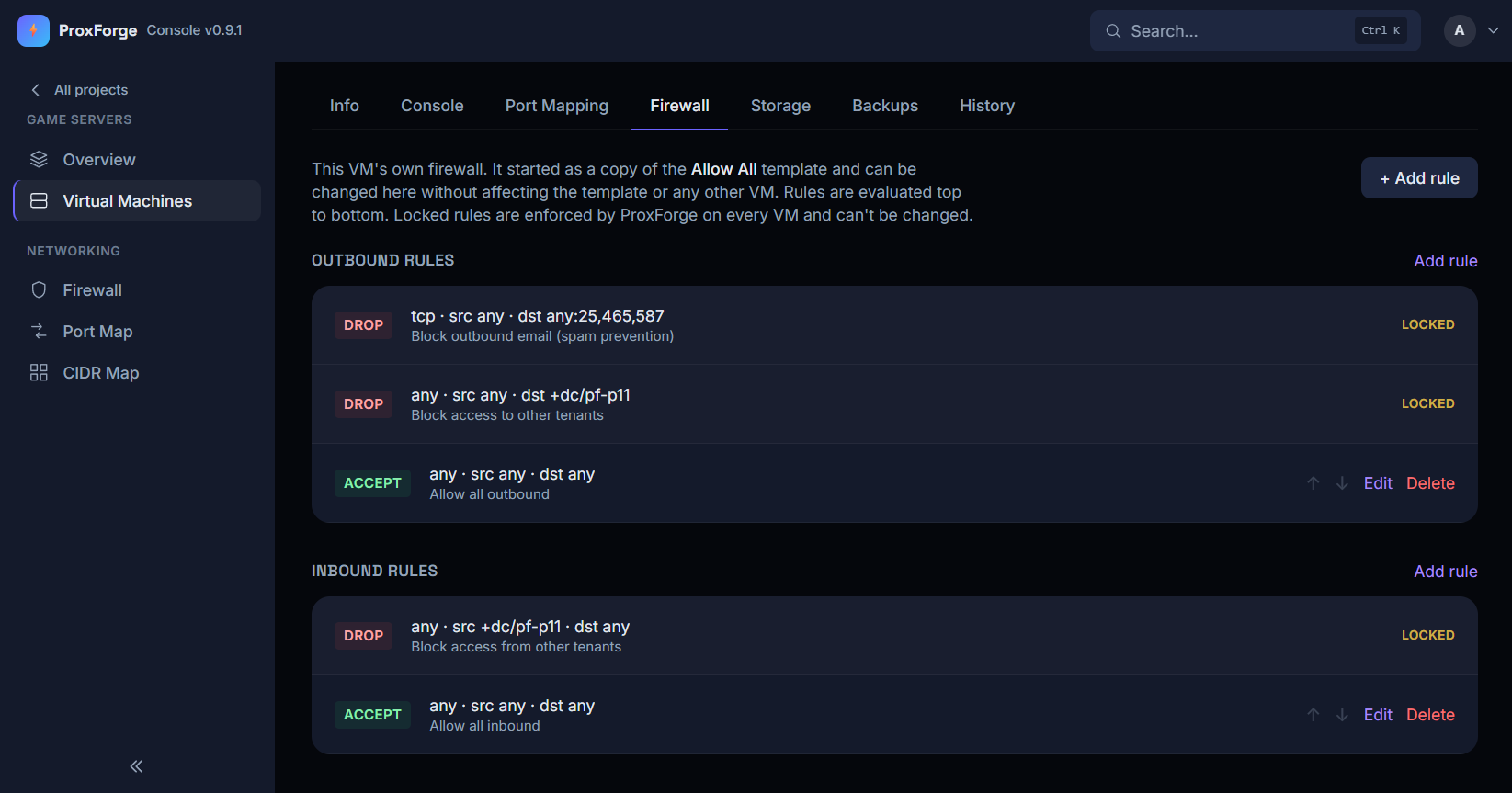
It starts with a sensible set of rules that whoever asked for it is free to edit — their server, their rules. Sitting above those are yours: the ones stopping a compromised server being used to send spam, and the ones keeping one project out of another's machines. Those can't be edited, reordered or removed.

Your rules always win

05

The server gets a way in

An SSH port opens on your gateway automatically, taken from a range set aside for the person who asked. Running a game server or a web server on it? They open that port themselves, from the same range, up to the number you've allowed — and you never log into the gateway to do any of it.

Their ports are theirs, and they can't wander

06

Whoever asked gets a console

A console in the browser — the same as walking over and plugging a monitor into the machine. Someone who's locked themselves out, or broken their own networking, goes and fixes it instead of coming to find you. And they get that without ever having a Proxmox login of their own.

No Proxmox account, ever

07

And then it's theirs to run

Starting, stopping, rebooting, backing up, and rolling back to a backup when they break something — all of it is theirs to do, without coming to find you. If the server ignores a shutdown, ProxForge tells them and lets them decide what to do next, rather than quietly pulling the plug on a machine that's mid-something.

You aren't anybody's support desk

The networking

It doesn't just wire up the VMs.
It wires up the cluster.

Giving each project a private network that works across more than one host is the genuinely hard part of doing this yourself — and it's the part ProxForge does from scratch, on a cluster that's never been told about any of it.

01

A network that spans every host

Projects don't live on one machine. ProxForge builds the cluster's software-defined networking itself — the zone, and a private network per project inside it — so a project's VMs sit on the same private network whichever host they land on, and can move between hosts without changing address.

02

An EVPN fabric between the hosts

Those private networks are carried between hosts over an EVPN fabric, which ProxForge creates and configures across every node. It's the thing that makes a project's /24 real on three machines at once instead of three separate islands.

03

Exit nodes, chosen and configured

A private network still needs a way out to the rest of the world. ProxForge sets the fabric's exit nodes — including which one is primary — so there's a defined route out and a defined machine doing the routing, rather than whichever host happens to answer.

04

OSPF, so new networks announce themselves

Alongside that, ProxForge sets up an OSPF fabric across the nodes and points it at the project subnets. The result is the bit that saves you: when someone makes a project next month, its network is announced to everything peering with the fabric — your router included — and starts working. No static route to add, and none to remember to remove later.

05

Your gateway's settings, worked out for you

ProxForge doesn't reach into your router and configure it — that's your box, and it stays yours. What it does instead is work out exactly what your UniFi gateway needs in its own OSPF settings, from the fabric it just built, and show you the values to enter. You still make the change; you just don't have to derive it, and it can't disagree with what's actually on the cluster.

It fits around what's already there

This all lands on a cluster that's already doing real work, so ProxForge is careful to add rather than change. It builds its own zone, its own networks and its own fabric, alongside whatever you've already configured — it doesn't adopt your existing setup, rewrite it, or assume it's wrong. Every step checks what's there before it writes, so running setup a second time changes nothing.

The same rule holds for the guests. Most of what's on a real cluster was never ProxForge's, and it never treats an untracked VM, disk or network as its own to touch.

0

command to install the whole thing

0

ways to sign up without an invite

0

passwords stored in the clear

0

Proxmox logins to hand out

Features

Two audiences. One install.

Request a VM, watch it build

Pick from the templates their tier allows and follow provisioning live, step by step, with a full log behind it.

A private network per project

Their machines can talk to each other and nobody else's. Invite a friend into the project and they're on the same network.

Their own firewall rules

Edit the rules on their VM, on top of pinned system rules they can't reorder or remove.

Port mapping they do themselves

SSH is forwarded automatically. Running a web server or a game server? They open the port themselves, from their own range, without asking you or touching the gateway.

Console in the browser

VNC or serial, relayed server-side. No Proxmox account, no Proxmox access, ever.

Power, backup, restore

Day-2 operations with live task progress — and SSH keys they manage themselves, injected at build time by cloud-init.

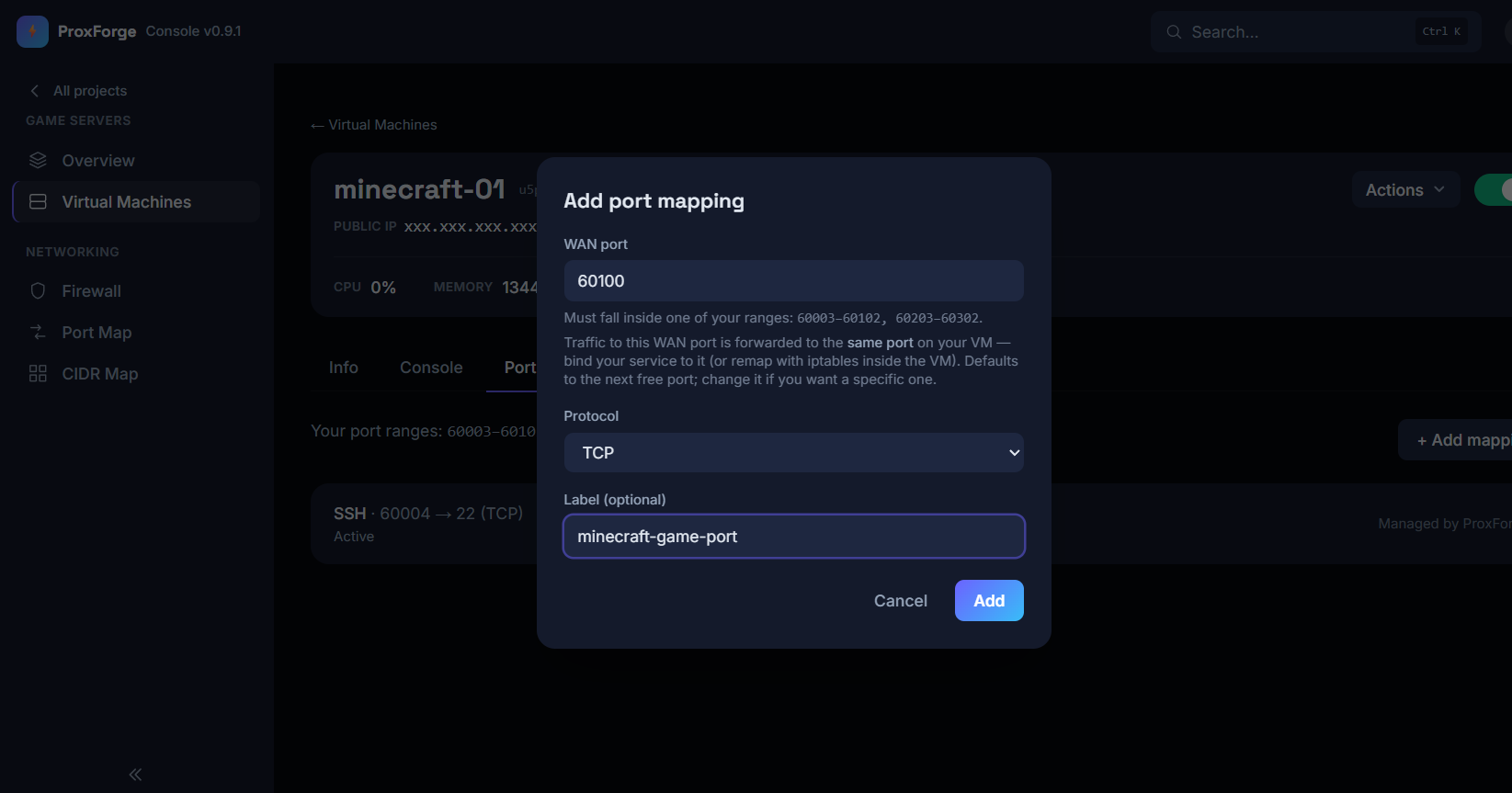
Adding a port mapping to a VM: a WAN port, a protocol, and a label, with the user's allowed port ranges shown
Opening a port is theirs to do, from the range you gave them — no gateway login, and no message to you

Architecture

Seven containers. One port open.

Laravel 13, MariaDB, Redis and a Blade + Tailwind frontend. The host needs Docker and nothing else — no PHP, no Composer, no database.

web nginx — the sole host-published port edge
app The web app itself — and the only one that touches the database schema core
queue All provisioning, power, backup and port-forward work core
scheduler Stats, task polling, orphan scans, health heartbeat core
console Long-lived VNC websocket relay core
db / redis MariaDB 10.11 · Redis for cache, session and queue state

Nothing is lost to a refresh

Slow work happens in the background and reports its progress to the page. Close the tab mid-build, come back later, and it's exactly where you left it.

Safe to run twice

Setup checks what's already there before it changes anything, so running it again on a cluster that's already configured does nothing rather than making a mess.

Each tool does one job

Proxmox handles the firewalling, UniFi handles the port forwarding, and neither is asked to do the other's job.
Security

It assumes the cluster isn't only its own.

Most of what's on a real homelab cluster was there long before ProxForge, and none of it is expendable. So it treats every deletion as something to double-check rather than something it already knows — because the cost of getting one wrong is your own work.

Deletions check twice

Before deleting anything, ProxForge goes back and confirms the thing in front of it is really the thing it meant to delete — by name, and against the machine itself rather than a list it read earlier.

When it's unsure, it stops

If any of those checks disagree, the job fails loudly and tells you. It never shrugs and carries on, and it never guesses.

Nothing stored in the clear

Your Proxmox and UniFi credentials are encrypted in the database. There's nowhere they sit as readable text.

Your rules can't be lifted

The rules that stop a hacked VM being used to send spam, or one tenant poking at another, are applied every time and can't be edited away by the person using the VM.

Access ends immediately

Disable someone and they're out on their very next click — not whenever their session happens to expire.

Nobody else touches Proxmox

Your users have no Proxmox account and no way to reach it. Even the console goes through ProxForge, so their browser never speaks to your cluster.

Two-factor, for everyone

Every account has to enrol an authenticator app before it can do anything, login is a two-step challenge, and both steps are throttled so a code can't be guessed at.

A record of who did what

Approvals, firewall changes and account actions are written to an append-only audit log — including the real admin behind an impersonated session.

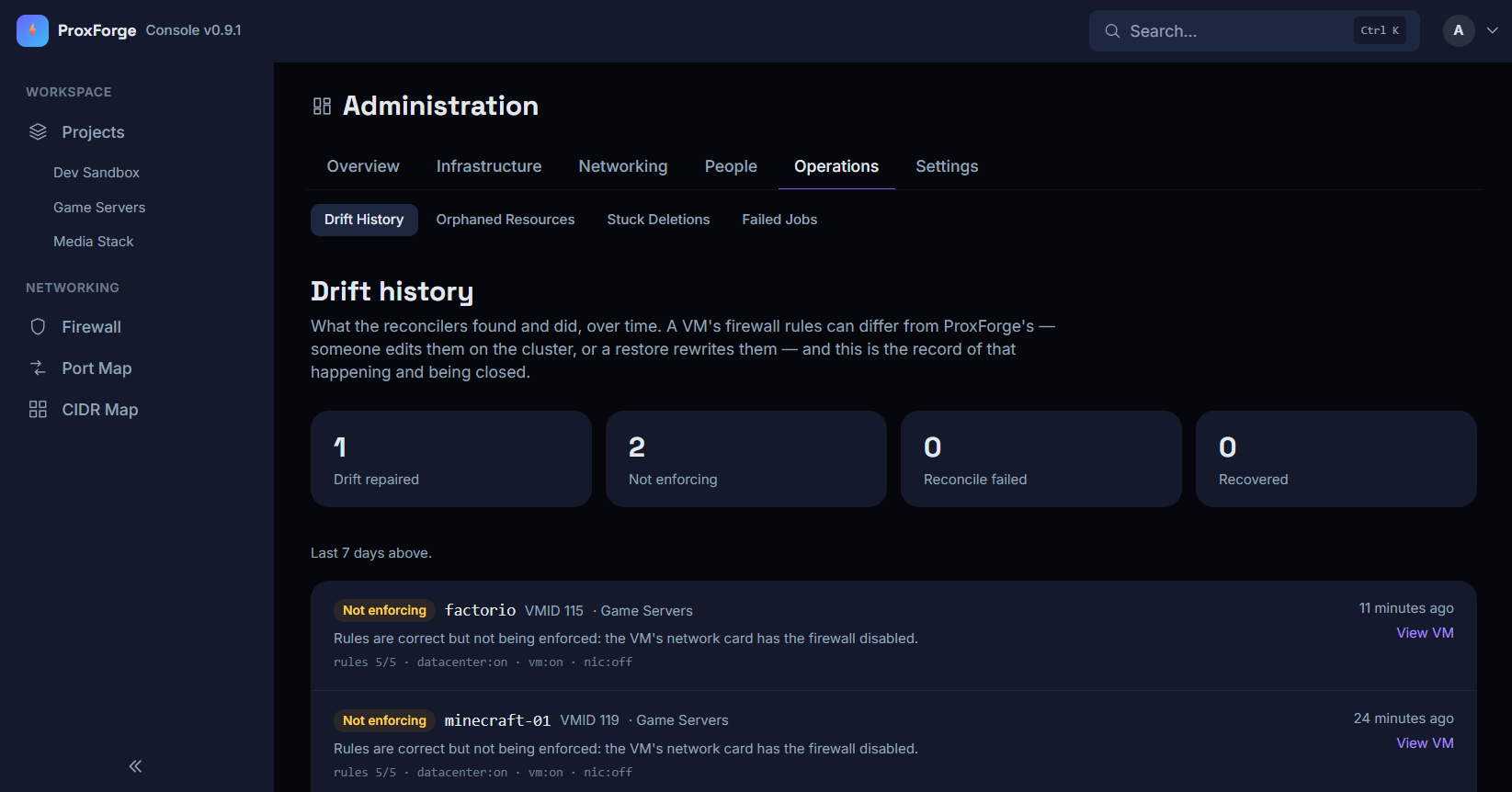
The drift history page, listing VMs whose firewall rules are correct but not being enforced
A real report from a live cluster — two machines whose rules were correct but weren't being enforced. Finding that is the whole point.
!

ProxForge is built to sit on a trusted network behind your own gateway. Every account now carries a mandatory authenticator, both login steps are throttled against guessing, and an audit log records who did what — but it's still meant to live behind something that terminates TLS and gates access, like cloudflared or a VPN, rather than straight on the open internet.

Pricing

Free for your own lab.
Licensed once you're handing it out.

Every tier is the same ProxForge — the same provisioning, the same networking, the same firewalling, the same console. What a licence changes is how many people you can hand it to and how much they can have, not which parts of it work.

Free

£0/forever

One person, one homelab. Enough to run your own things properly rather than enough to evaluate it and stop.

  • 1 user account
  • 5 virtual machines
  • 2 projects
  • Every feature on this page, none of them held back
  • Private per-project networking, built on your cluster
  • Per-VM firewalling, port forwarding and the browser console
  • Backups, restores and template builds
Register interest
For handing out

Licensed

Announcedat launch

The point at which ProxForge stops being a nicer way to run your own VMs and starts being the thing other people use.

  • more user accounts
  • more virtual machines
  • more projects
  • Everything in Free, with the ceilings lifted
  • Invite people into projects of their own, with their own quotas
  • Project peering, so two projects can reach each other on purpose
  • Tiers and pricing are being settled during the beta
Register interest

On open source

ProxForge was going to be open source, and for a long time this page said so. It isn't going to be — it's a licensed product, with a free tier that's meant to be genuinely usable rather than a trial with a clock on it. That's a change of plan, so it's written here plainly rather than quietly dropped.

What hasn't changed is where it runs: your cluster, your gateway, your machines. Nothing about it is hosted for you, and nothing about your infrastructure leaves it.

Status

Not out yet. The beta is being assembled.

ProxForge is in registering-interest mode. There's no download and no general release yet — it runs against a real homelab cluster every day, and the next step is putting it on a handful of other people's.

That's what the portal is for. Register your interest and you're in the pool for the beta; when there's a build to hand out, that's where it comes from and that's where your licence lives.

Until then, the roadmap is whatever the homelab needs next.

Want to be one of the first?

Takes a minute. No install, nothing to run yet — just a place in the queue.

Shipped

Provisioning, private networking, firewalling, port forwarding, console, backups, quota tiers, template builds, orphan reconciliation, project peering, mandatory two-factor, brute-force throttling, an audit log

Next

Moving the last vendored front-end bits (the in-browser console) off a CDN, and a careful pass over anything that still assumes a friendly network

Someday

Per-VNet firewalling once nftables leaves tech preview, a drift-aware controller